load_musicxml()
Import a MusicXML file and return a fully populated Score object ready to render.
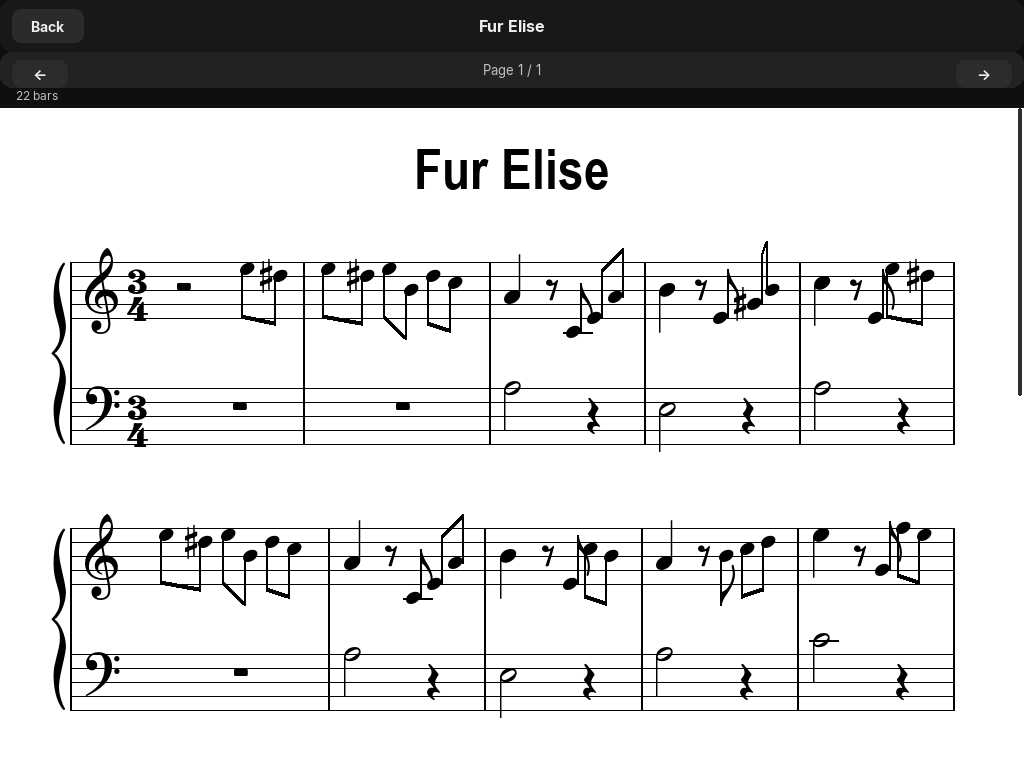
load_musicxml() — scrollable paged view inside Pianove.Signature
load_musicxml(
    filepath: str,
    surface=None,
    length=1100,
    bars_per_system=None,
) -> Score| Parameter | Type | Default | Description |
|---|---|---|---|
| filepath | str | Path to a .xml, .musicxml, or compressed .mxl file. | |
| surface | pygame.Surface | None | None | Render target. Can be assigned later via score.surface = screen. |
| length | int | 1100 | Staff width in pixels passed to the resulting Score. |
| bars_per_system | int | None | None | Override automatic bars-per-system calculation. |
What is imported
The importer reads the MusicXML file and populates a Score object with notes and rests. Metadata fields (score.title, score.composer, etc.) are set from the MusicXML header if present.
Supported:
- All standard note durations (whole through sixteenth, dotted variants)
- Rests of all durations
- Key signatures (all major and minor keys)
- Time signatures (any numerator/denominator combination)
- Treble and bass clef detection from the first part
- Compressed
.mxlfiles (automatically decompressed)
Simplifications applied
PyLute is a renderer, not a full MusicXML validator. Several elements of the MusicXML format are intentionally simplified or ignored to keep the renderer scope manageable.
| MusicXML element | Behaviour |
|---|---|
| Multiple <part> elements | Only the first part is imported. Multi-instrument scores show only instrument 1. |
| Chords | Only the first note of each chord is kept. Simultaneous notes are dropped. |
| Multiple voices | Only voice 1 is imported. Voice 2, 3, 4 are ignored. |
| Grace notes | Skipped entirely. |
| Tuplets / triplets | Skipped (duration does not fit the beat grid). |
| Ties and slurs | Ignored — tied notes appear as two separate notes. |
| Dynamics, articulations, lyrics | Not rendered. |
| Repeats and da capo | Not followed — score renders linearly. |
Finding MusicXML files
MusicXML files are widely available:
- MuseScore (
musescore.com) — the largest public collection. Download individual scores as.mxl. - IMSLP — public-domain classical music in MusicXML format under each score's "Files" section.
- MuseScore Desktop — export any score you create or edit as
.musicxml. - Flat.io — online notation editor that exports to MusicXML.
Example
import pygame as pg
import pylute

pg.init()
screen = pg.display.set_mode((1200, 800), pg.RESIZABLE)

try:
    score = pylute.load_musicxml("bach_prelude.xml", surface=screen, length=1100)
    print(score.title)       # "Prelude in C Major"
    print(score.composer)    # "Johann Sebastian Bach"
    print(len(score.staffs)) # 2 (treble + bass for piano)
except FileNotFoundError:
    print("File not found")
    pg.quit()
    exit()

clock = pg.time.Clock()
while True:
    for event in pg.event.get():
        if event.type == pg.QUIT: pg.quit(); exit()
        if event.type == pg.VIDEORESIZE:
            screen = pg.display.set_mode(event.size, pg.RESIZABLE)
            score.surface = screen
    screen.fill((255, 255, 255))
    score.draw()
    pg.display.flip()
    clock.tick(60)