ScoreCanvas & ScorePager
PyLay integration classes that embed a Score into a scrollable or paged UI widget.
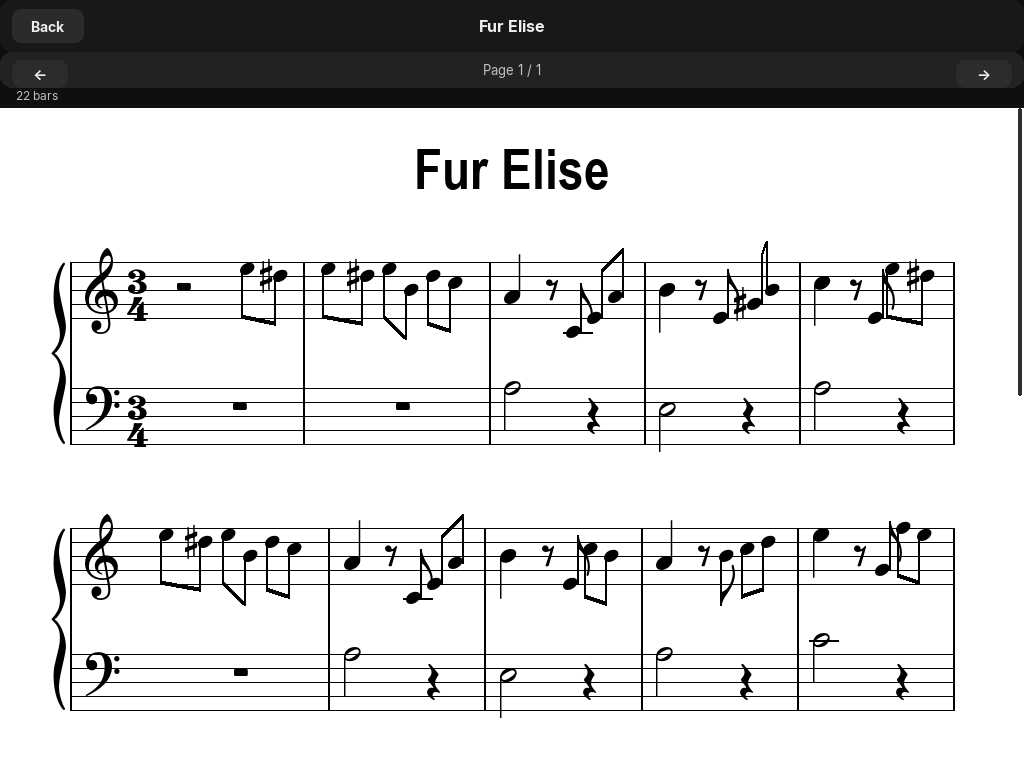
ScoreCanvas
Adapts a Score to PyLay's ScrollableCanvas protocol. It implements draw(surface, rect) and content_height(canvas_w), which are the two methods ScrollableCanvas requires. The result is a score that scrolls vertically with spring physics inside any PyLay layout.
| Property | Type | Description |
|---|---|---|
| score | Score | None | The loaded Score object. None before load() is called. |
| error | str | Error message from the last failed load() call. Empty string on success. |
| dirty | bool | Set to True by the framework when the score needs a redraw on the next frame. |
Load a MusicXML file. Returns True on success, False on error. Check .error for the error message.
Returns the total pixel height the score needs at the given canvas width. Called automatically by ScrollableCanvas to set its scroll bounds.
Renders the score clipped to rect. Called automatically by ScrollableCanvas each frame.
from pylute import ScoreCanvas
from pylay import App, ScrollableCanvas, VStack, Label, Button

app = App("Score Viewer", 1200, 800)

sc = ScoreCanvas()
if not sc.load("bach_prelude.xml"):
    print("Error:", sc.error)

# Wrap in ScrollableCanvas for spring-scrolling
score_widget = ScrollableCanvas(
    target=sc,
    anchor="top_left", x=0, y=0, width=1.0, height=1.0,
)
app.root.add_child(score_widget)
app.run()ScorePager
Splits a score into A4-style pages and presents them in a PyLay PageRouter. Each page shows one screen's worth of music. Users navigate with go_prev() and go_next(). This is the approach used inside Pianove.
ScorePager(score_canvas: ScoreCanvas | None = None)| Property / Method | Type | Description |
|---|---|---|
| score | Score | None | The underlying Score object. |
| error | str | Error message from last failed load. |
| on_page_change | Callable[[int, int], None] | None | Called with (current_page, total_pages) when the page changes. Use to update a page counter label. |
| load(path) | bool | Load a MusicXML file and reset to page 1. Returns success. |
| go_prev() | None | Navigate to the previous page. No-op on page 1. |
| go_next() | None | Navigate to the next page. No-op on the last page. |
| build_view(y_offset=80, app=None) | PageRouter | Build and return a PageRouter widget ready to add to the UI tree. Pass app to auto-size the widget to the window height. |
from pylute import ScorePager
from pylay import App, Button, Label, FloatLayout

app = App("Paged Score", 1200, 800)

pager = ScorePager()
pager.load("chopin_nocturne.xml")

# Page indicator label backed by reactive state
from pylay import State
page_label = State("Page 1")
pager.on_page_change = lambda cur, total: page_label.set(f"Page {cur} / {total}")

# Build the page view
router = pager.build_view(app=app)
app.root.add_child(router)

# Navigation controls
prev_btn = Button("◀  Previous", on_click=pager.go_prev,
                  anchor="bottom_left", x=20, y=20, width=140, height=40)
next_btn = Button("Next  ▶", on_click=pager.go_next,
                  anchor="bottom_right", x=20, y=20, width=140, height=40)
counter  = Label(page_label, anchor="bottom_center", x=0, y=26, width=200, height=28)

app.root.add_child(prev_btn)
app.root.add_child(next_btn)
app.root.add_child(counter)
app.run()